Blog Archives
HCL Domino and HCL Notes (Lotus Notes) V14.0 FP2 Released: 65 Fixes Included
Today HCL released V14.0 FP2 of HCL Domino and HCL Notes #LotusNotes. Here is the announcement from HCL with all the details. Fix Packs just have fixes, no new features. This Fix Pack has 65 published fixes. You can find a brief description of the full list on the fixlist website.
You will find the software on the “Recently Released” list when you first log into the download site.

And a reminder that I have a page with links to my favorite websites for HCL Notes (Lotus Notes) and Domino at the top right of my page under “Me on the Web” section. You can always go there to find what you’re looking for.
FP1 for Domino and Lotus Notes V14 just released!

I continue to be surprised at how prolific HCL is in code generation. It’s been only 4 months and they already released FP1 for Notes/Domino V14.0. 4/15/2024. You can find it easily at the new download website:
https://my.hcltechsw.com/downloads/domino
And if you want to know what’s in FP1, look here:
https://help.hcltechsw.com/domino/14.0.0/admin/wn_140FP1.html
And the complete release notes are here:
https://support.hcltechsw.com/csm?id=kb_article&sysparm_article=KB0112431
And a reminder that you can find these and all the most important links in my page of
All Essential Lotus Links.
HCL Domino /(Lotus Notes) V14.0 is now available!
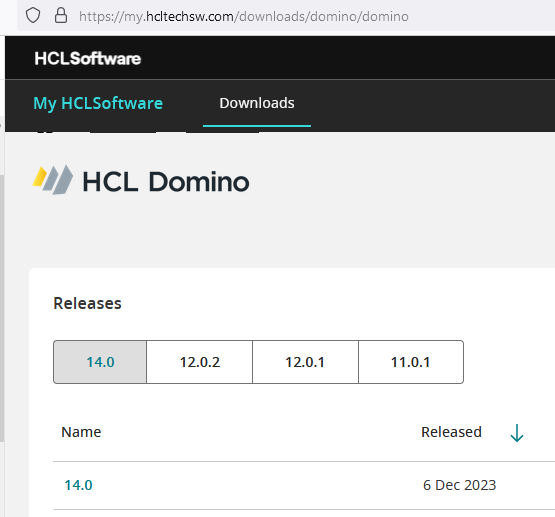
Ahead of schedule, HCL has released V14.0 of HCL Domino and HCL Notes (Lotus Notes as most of us still like to call it). Numerous major new features, like the new auto-update for the software. Find a detailed list of what’s new here: https://help.hcltechsw.com/domino/14.0.0/admin/wn_140.html
You can also watch the official release event (which covers a lot more) here: https://register.gotowebinar.com/register/3240097374153477467
If you dislike flexnet as much as most people, you can download the software at the very user-friendly site: https://my.hcltechsw.com/downloads/domino/domino
As you plan to upgrade your Notes clients to V14, keep in mind that there is no 32 bit version of V14, so unless you are already running 64 bit V12.x, you will need to uninstall the software before installing V14. If you’re using Panagenda’s MarvelClient for handling your upgrades, that will also take care of it.


 The Notes Guy in Seattle